
Download Attribute Changer – file attribute changer, change file date, system file management, file management tool, Windows utility
Overview
Attribute Changer is a dedicated Windows utility designed to empower users with advanced control over file and folder attributes and metadata. This lightweight tool integrates directly into the system’s context menu, enabling users to modify critical file properties with minimal effort. Its primary function is to simplify the management of digital assets by allowing adjustments to file characteristics such as visibility, system status, and access permissions, as well as the manipulation of key timestamps including creation, modification, and last accessed dates.
These capabilities are particularly valuable for users who manage large volumes of files, such as digital archivists, content creators, and system administrators. The app serves as a practical solution for organizing files chronologically, correcting metadata inconsistencies, or preparing files for specific software requirements. While the developer, Joe C.
Jones, is credited with its creation, no further background information was provided. The tool operates entirely within the Windows environment and is intended for desktop users seeking efficient, no-cost enhancements to native file management. Although the developer did not list formal performance metrics, the app’s small size suggests a low resource footprint.
Attribute Changer fills a niche in the utility ecosystem by offering a focused, reliable, and free alternative to more complex system tools.
Key Features & Functionality
- Context Menu Integration – Attribute Changer extends the right-click context menu in Windows, adding a new option labeled “Change Attributes.” This allows users to access advanced file settings directly from the file explorer without launching additional software.
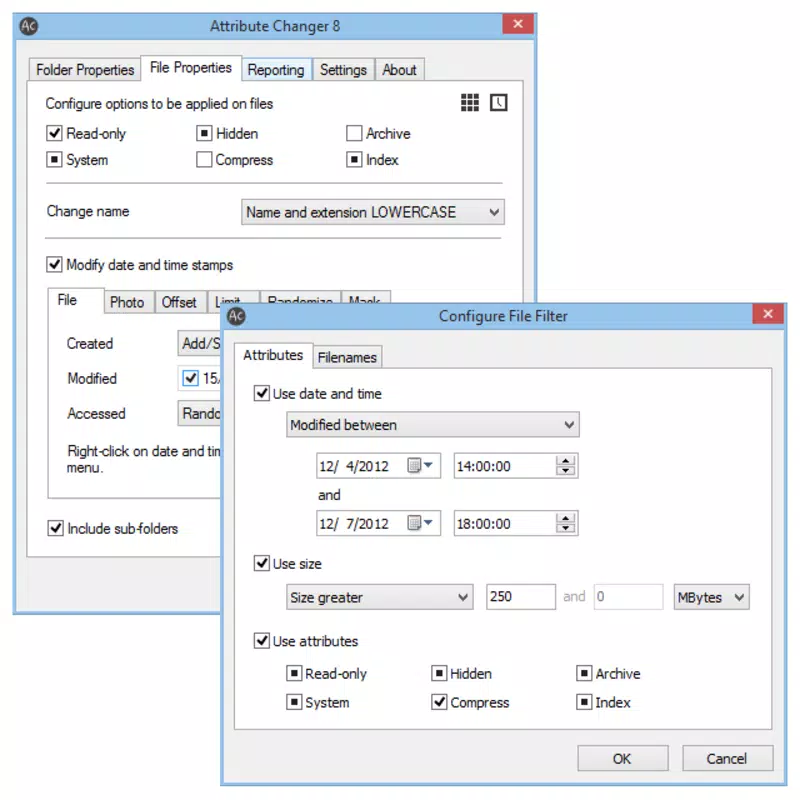
- Comprehensive Attribute Control – Users can modify core file properties such as hidden, system, read-only, compressed, and indexed status. This enables fine-grained management of file visibility and behavior across the system.
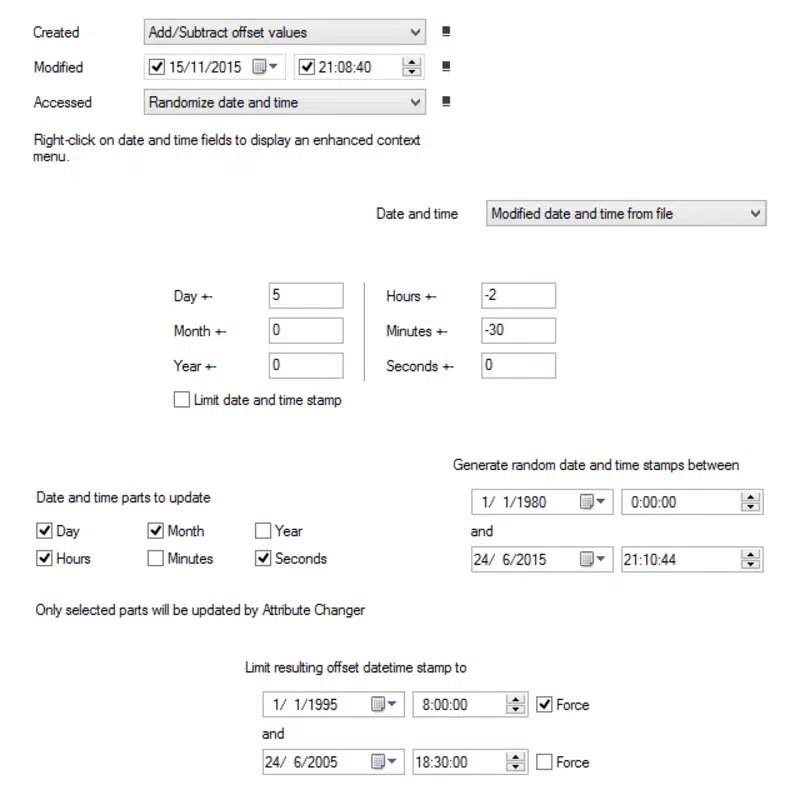
- Date Manipulation Tools – The app allows users to change creation, modification, and last accessed dates of files and folders. This is useful for reorganizing files by date, fixing incorrect timestamps, or aligning file histories with specific project timelines.
- Free and Accessible – Despite its advanced functionality, Attribute Changer is available at no cost. This makes it an appealing option for users who need powerful file management capabilities without financial investment.
- Intuitive User Interface – The tool is designed for ease of use, requiring no technical expertise. A simple interface ensures that users can navigate and apply changes without confusion or risk of system errors.
For example, a photographer managing a large archive could use the date modification feature to align photo metadata with actual shoot dates. Similarly, a system administrator might hide or mark certain files as system-level to prevent accidental access. These real-world applications highlight the app’s practical value in both personal and professional environments.
Interface, UX & Performance
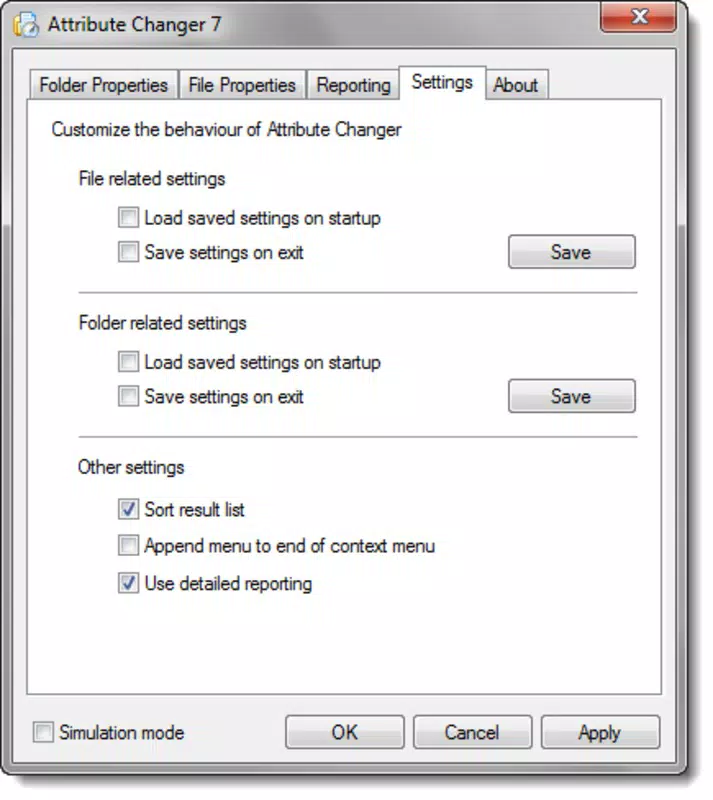
The user interface of Attribute Changer is minimal and functional, designed to prioritize usability over visual complexity. The tool presents a clean, straightforward dialog that displays the relevant file properties and allows users to toggle options with simple checkboxes or input fields. Navigation is intuitive, relying on standard Windows interaction patterns—right-click, select the new menu option, and adjust settings.
The app does not require account creation, registration, or persistent background processes, contributing to a lightweight and responsive experience. Although the developer did not list formal performance metrics, the app’s 1.2 MB file size suggests efficient resource usage. It is expected to operate smoothly on a wide range of Windows systems, including those with limited processing power or memory.
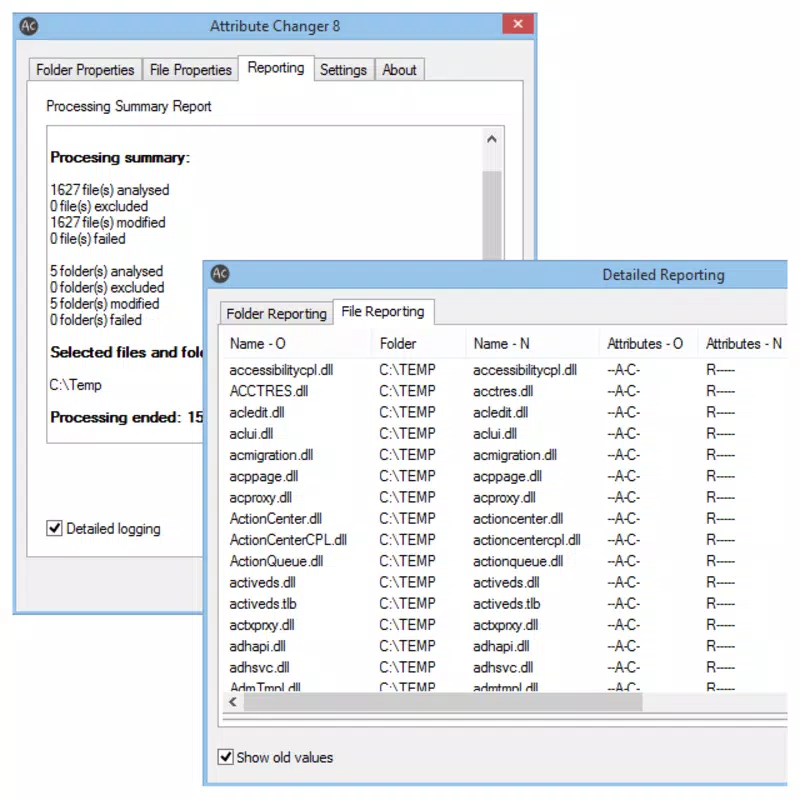
Responsiveness is maintained through direct system-level access without unnecessary overhead. Stability is implied by the absence of reported issues in the provided data. The tool does not appear to generate logs or notifications, which may be seen as either a benefit (minimal disruption) or a limitation (lack of feedback).
Overall, the UX is consistent with expectations for a utility-focused tool: efficient, unobtrusive, and purpose-built.
Platform Compatibility & Technical Requirements
Attribute Changer is designed exclusively for the Windows operating system. The app is compatible with Windows platforms, though specific version requirements were not listed. The file size is 1.2 MB, indicating a compact and lightweight installation.
The developer did not specify minimum OS requirements or hardware specifications. As such, compatibility with older or newer Windows versions remains unconfirmed. The app is distributed as a standalone executable, which suggests it does not require installation or administrative privileges for basic operation.
No additional dependencies or runtime environments were mentioned. Users should exercise caution when downloading and executing files from third-party sources, even if the app is free. The absence of a formal verification process from the official Microsoft Store or other trusted platforms means users should ensure the source is secure before proceeding with installation.
Pros and Cons
Pros
- Completely free to use, offering advanced file management without cost.
- Lightweight design with a small file size of 1.2 MB.
- Direct integration with the Windows context menu for quick access.
- Supports modification of key file attributes and timestamps.
- Designed with simplicity in mind, requiring no technical expertise.
Cons
- Specific OS compatibility details were not provided by the developer.
- No information on update frequency or future development plans.
- Does not appear to offer a built-in backup or undo feature for changes.
- May pose risks if used incorrectly, as file attribute changes can affect system behavior.
- Not available on mobile platforms or other operating systems.
FAQ
Is Attribute Changer safe to download and use?
Yes, the app is free and designed for Windows systems. However, users should ensure they download it from a trusted source to avoid potential malware. The developer, Joe C. Jones, is credited with its creation, but no third-party verification was provided.
Can I use Attribute Changer on older versions of Windows?
The developer did not specify minimum OS requirements. While the app may function on older systems due to its small size, compatibility is not guaranteed.
Does Attribute Changer require installation?
It is distributed as a standalone executable, which typically means it can run without a formal installation process. However, this may vary depending on the system’s security settings.
Can I revert changes made by Attribute Changer?
There is no built-in undo or backup function described in the provided information. Users are advised to exercise caution and document changes when modifying file attributes or dates.
Is Attribute Changer available for Android or iOS?
No, the app is designed exclusively for Windows and is not available on mobile platforms.
Final Thoughts
Attribute Changer stands out as a focused, efficient utility for users seeking greater control over their file system on Windows. Its ability to modify file attributes and timestamps directly from the context menu makes it a practical tool for organizing digital assets, correcting metadata, and managing system files. While it lacks advanced features like batch processing or cloud integration, its simplicity and zero cost make it a compelling choice for both casual users and professionals.
The app is particularly beneficial for individuals who manage large file collections, need to standardize timestamps, or require fine-grained control over file visibility and access. Despite limited documentation and no formal update history, its lightweight design and straightforward interface ensure a smooth experience. For those looking to enhance their file management workflow without spending a dime, Attribute Changer delivers tangible value.
Download Attribute Changer now.


